Canva Alternatives for Presentations: 8 Tools Compared
8 Canva alternatives for presentations compared on free plan, price and PowerPoint export: Gamma, Beautiful.ai, Pitch, Prezi, Plus AI, Visme and more.
By Leo Hußke8 min read
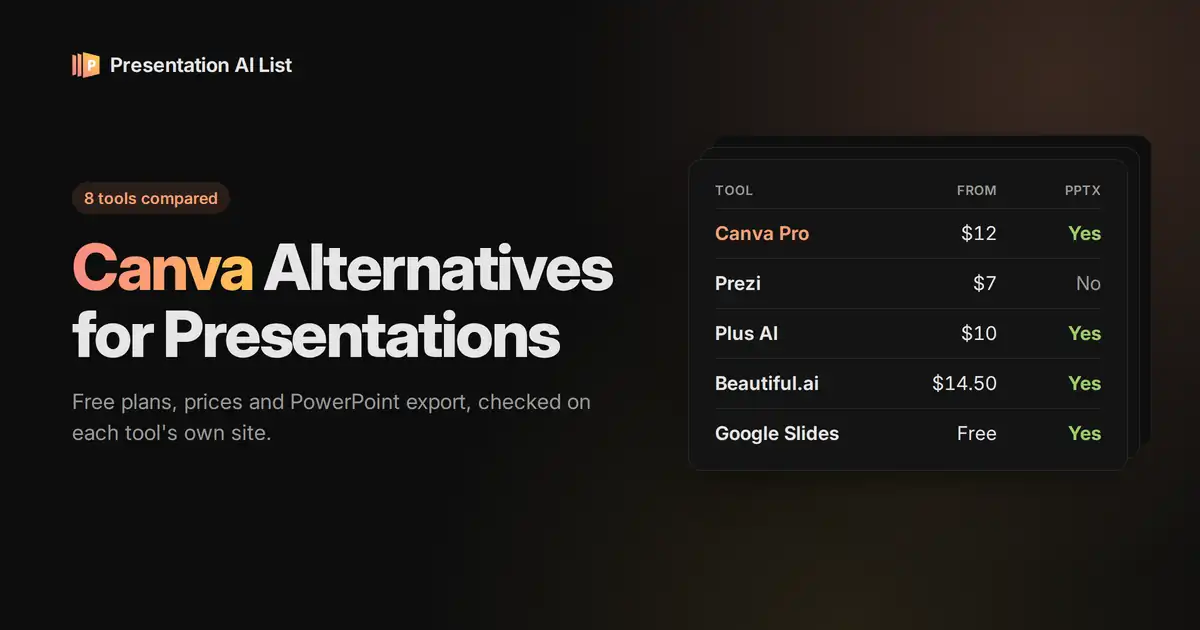
If you're looking for Canva alternatives for presentations, you probably have one specific problem with Canva. The deck has to end up in PowerPoint, the AI allowance runs out, the brand has to stay locked, or a team needs to edit the same slides at once. This guide compares eight tools that each fix one of those problems. For every tool you get who it suits, the free plan, the price and whether it exports to PowerPoint, all taken from the tool's own site.
Pick a Canva alternative by the reason you're leaving
Start with the problem, then pick the tool. Each pick is explained further down.
| If you leave Canva because | Pick |
|---|---|
| Your decks have to end up in PowerPoint | Plus AI or PowerPoint with Copilot |
| You want AI to write the first draft | Gamma |
| Every slide has to stay on brand | Beautiful.ai |
| Your team edits and tracks decks together | Pitch |
| You want to pay nothing | Google Slides |
| You present charts, data and infographics | Visme |
| You teach and want quizzes and polls in the deck | Prezi |
Where Canva falls short for presentations
Canva is a design tool for more than 1,000 design types, and presentations are one of them. That makes it quick for a simple deck. When slides are your main job, four limits show up.
- PowerPoint export. Canva downloads presentations as PPTX files, but its help center warns that designs downloaded as PPTX may look different in PowerPoint. Animations and embedded videos may not play, and you may need to install the fonts you used in Canva.
- AI limits. Canva's AI tools share a monthly allowance. Canva Free gets limited access, and Pro gets ten times as much as Free. When the allowance runs out, the AI tools stop until it resets.
- Brand control. The free plan has one Brand Kit with a maximum of three colors. Uploading your own fonts takes a paid plan.
- Price for teams. Canva Teams is closed to new sign-ups. Team admin tools now sit in Canva Business, which costs US$20.83 per person per month billed yearly, or $25 month to month. Canva Pro costs $12 a month billed yearly, or $18 month to month.
None of these is a reason to leave on its own. If one of them costs you time every week, one of the tools below does that part better.
The 8 Canva alternatives compared
The table compares the free plan, the cheapest paid plan and PowerPoint export. Prices are per person per month, billed yearly, unless the cell says otherwise. Canva is in the first row for reference.
| Tool | Suits | Free plan | Cheapest paid plan | Exports to PowerPoint |
|---|---|---|---|---|
| Canva | Quick decks next to other design work | Yes | Pro, $12 | Yes |
| Gamma | A first draft written by AI | Yes | Plus, price on Gamma's site | Yes, with a badge on Free |
| Beautiful.ai | Decks that must follow brand rules | No, 14-day trial | Pro, $14.50 | Yes |
| Pitch | Startups and sales teams | Yes | Plus, price on Pitch's site | Paid plans only |
| Prezi | Teachers and trainers | Yes, public decks | Standard, $7 | No, PDF only |
| Plus AI | People who must stay in PowerPoint or Google Slides | No, 7-day trial | Basic, $10 | Yes |
| Visme | Charts, data and infographics | Yes | Starter, $12.25 | Business plan only |
| Google Slides | Free real-time collaboration | Yes | Workspace Business Standard, $14 | Yes |
| PowerPoint with Copilot | Anyone whose decks end up in PowerPoint | Yes, web app without Copilot | Microsoft 365 Personal, $99.99 a year | Yes |
What the Canva alternatives cost
Three of the seven plans in the chart cost less than Canva Pro. The chart shows the cheapest paid plan for one person, per month, billed yearly. The Microsoft 365 bar is the Personal plan, $99.99 a year or $8.33 a month. The Google Workspace bar is Business Standard, the cheapest Workspace plan that includes Gemini in Slides. Slides itself is free.
Cheapest paid plan for one person
US dollars per month, billed yearly
- Prezi Standard$7.00
- Microsoft 365$8.33
- Plus AI Basic$10.00
- Canva Pro$12.00
- Visme Starter$12.25
- Google Workspace$14.00
- Beautiful.ai Pro$14.50
Source: The tools' own pricing pages and help centers
Show data
| Price per month | |
|---|---|
| Prezi Standard | $7.00 |
| Microsoft 365 | $8.33 |
| Plus AI Basic | $10.00 |
| Canva Pro | $12.00 |
| Visme Starter | $12.25 |
| Google Workspace | $14.00 |
| Beautiful.ai Pro | $14.50 |
Two tools are missing from the chart because their pricing pages show no US dollar prices to compare. Check Pitch's Plus plan and Gamma's Plus and Pro plans on their sites. Gamma's help center lists its Business plan at $40 per member per month, billed yearly.
The cheapest plan is not always the one you need. Visme Starter can't download PPTX files, and Prezi's plans list PDF export but no PowerPoint export. If PowerPoint is where the deck ends up, compare the plans that export to it.
The 8 Canva alternatives in detail
Gamma writes the first draft for you
Gamma creates slides and images with AI, so you start from a draft instead of an empty template. Each AI action uses credits. A new free account gets 400 credits once, and they don't refresh. The paid plans are Plus, Pro, Ultra and Business, and paying yearly saves 28%.
Gamma exports to PDF, PNG, PowerPoint and Google Slides. On the free plan, PDF and PPTX exports carry a "Made by Gamma" badge. Any paid plan removes it.
Pick Gamma if writing the first draft is the slow part.
Beautiful.ai keeps every slide on brand
Beautiful.ai is built around Smart Slides, more than 300 layouts that format themselves as you add content. A custom theme builder sets colors, fonts, logos and footers once for every deck. The Team plan adds locked slides, version control, a shared asset library and real-time editing.
There is no free plan. Pro costs $14.50 a month billed yearly, after a 14-day trial that needs a credit card. Pro billed monthly costs $45. The Team plan is $40 a month for up to three users, billed yearly. Pro and Team both import and export PowerPoint files.
Pick Beautiful.ai if your slides drift off brand every time someone edits them.
Pitch is for teams that share and track decks
Pitch has a free plan for up to five people, with unlimited presentations, custom templates and 500 AI credits that don't renew. The Plus plan adds custom fonts, 750 AI credits a month and PPTX export without Pitch branding. The Team plan adds links that track visits, slide views and time spent on each slide. Paying yearly saves 17%.
Pitch imports PPTX files, so you can bring a deck over from Canva.
Pick Pitch if a sales or startup team works on the same decks and wants to see who opened them.
Prezi turns lessons into quizzes and polls
Prezi now leads with teaching. Its AI drafts quizzes, polls and games from your slides, and students join on any device without an app or a login. You can start from PowerPoint, Google Slides, Canva, a PDF or a sentence.
The free Basic plan caps AI credits and makes your presentations public. Standard costs $7 a month billed yearly and adds privacy controls and 500 AI credits. Plus, at $19, adds unlimited AI, PowerPoint import and PDF export. None of the plans lists a PowerPoint export.
Pick Prezi if you teach or train and want the class to answer questions during the talk.
Plus AI works inside PowerPoint and Google Slides
Plus AI is an add-in for PowerPoint and an add-on for Google Slides. You create and edit slides inside the app you already use, so the deck stays a normal PowerPoint or Slides file.
There is no free plan. Every plan starts with a 7-day trial with 1,000 AI credits, and the trial needs a credit card. Basic costs $10 per user per month billed yearly, or $15 billed monthly. Pro is $20 billed yearly.
Pick Plus AI if your company runs on PowerPoint or Google Slides and you want AI without a new tool. The directory lists 17 PowerPoint add-ins if you want to compare.
Visme is built for data and infographics
Visme has more than 50 charts, graphs and maps, plus data widgets, diagrams and flowcharts. It also makes infographics and interactive presentations with animated elements.
The free Basic plan allows 50 slides per project and 10 AI credits a month, and downloads only JPG, PNG and PDF. Starter costs $12.25 a month billed yearly, but it still has no PPTX download. PowerPoint export starts with the Business plan at $24.75 a month billed yearly, which also adds a Brand Kit and analytics.
Pick Visme if your slides are mostly charts and numbers. Budget for Business if they have to open in PowerPoint.
Google Slides is the free choice for teams
Anyone with a Google account can make presentations in Google Slides at no cost, and several people can edit one slide at the same time. Slides imports PowerPoint and Canva presentations. It also edits PowerPoint files directly and saves your changes to the original Office file. You can send a deck as a PowerPoint attachment.
Gemini, Google's AI, works in Slides on Workspace Business Standard and above. Business Standard costs $14 per user per month on a yearly plan, or $16.80 on the flexible plan. Business Starter doesn't include Gemini in Slides.
Pick Google Slides if you want to pay nothing and edit together. Our comparison of Google Slides vs PowerPoint goes deeper, and AI tools for Google Slides lists the add-ons that bring AI to the free version.
PowerPoint with Copilot keeps you in the format everyone uses
PowerPoint for the web is free, but the free version has no Copilot. Microsoft 365 Personal includes Copilot in the PowerPoint desktop app for $99.99 a year or $9.99 a month. Usage limits apply, and on Family plans only the subscription owner gets the AI features. For companies, Business Standard with Copilot costs $23.50 per user per month, paid yearly.
Pick PowerPoint with Copilot if your company's templates and decks live in PowerPoint already. Our guide to Copilot in PowerPoint explains what it does and what each plan costs.
How to move a Canva deck to another tool
You don't have to rebuild your decks from scratch.
- In Canva, download the presentation as a PPTX file.
- Open or import the file in the new tool. Google Slides opens it directly. Pitch, Beautiful.ai and Prezi import PowerPoint files. Google Slides and Prezi can also import straight from Canva. Plus AI works on the file inside PowerPoint or Google Slides.
- Install the fonts you used in Canva, then check each slide. Animations and embedded videos from Canva may not play in the PPTX file.
More Canva alternatives in the directory
The eight tools above are a short list. Presentation AI List has 121 AI presentation makers. 79 of them have a free or freemium plan, and 91 work with PowerPoint.
- To pay nothing, start with all free AI presentation makers, or filter by free and freemium pricing.
- To stay in PowerPoint, see AI tools for PowerPoint.
- If you already pay for a chatbot, read whether ChatGPT can make a PowerPoint and how to use Claude for PowerPoint.
FAQ
What is the best Canva alternative for presentations?
It depends on why you're leaving Canva. Gamma is the pick when you want AI to write the first draft. Plus AI or PowerPoint with Copilot are the picks when the deck has to end up in PowerPoint. Google Slides is the pick when you want to pay nothing and edit with your team.
Is there a free Canva alternative for presentations?
Yes. Google Slides is free with a Google account. Gamma, Pitch, Visme and Prezi have free plans with limits, such as one-time AI credits, a badge on exports or public presentations. See all free AI presentation makers for more.
Which Canva alternatives export to PowerPoint?
Google Slides and PowerPoint save PPTX files for free. Beautiful.ai exports PPTX on Pro and Team, and Plus AI works on PowerPoint files on every plan. Gamma exports PPTX on its free plan with a "Made by Gamma" badge. Pitch exports PPTX on paid plans, and Visme from its Business plan. Prezi's plans list PDF export only.
Is Gamma better than Canva for presentations?
Gamma is better if you want AI to draft the deck for you. Canva is better if you also make social posts, videos and print designs in the same tool. Both have free plans, and both export to PowerPoint.
Can I move my Canva presentations to another tool?
Yes. Download the presentation from Canva as a PPTX file and open it in the new tool. Google Slides, Pitch, Beautiful.ai and Prezi import PowerPoint files. Expect to install your fonts again and to check animations and embedded videos, which may not play after the PPTX export.
How much does Canva Pro cost for presentations?
Canva Pro costs $12 a month billed yearly, or $18 month to month, for one person. Canva Business costs $20.83 per person per month billed yearly, or $25 month to month. Prezi Standard, Microsoft 365 Personal and Plus AI Basic all cost less per month.