
Copilot in PowerPoint: What It Does and What It Costs
Copilot in PowerPoint drafts and edits slides for you. How to use it, which Microsoft 365 plans include it, what they cost, and where it falls short.
By Leo Hußke8 min read
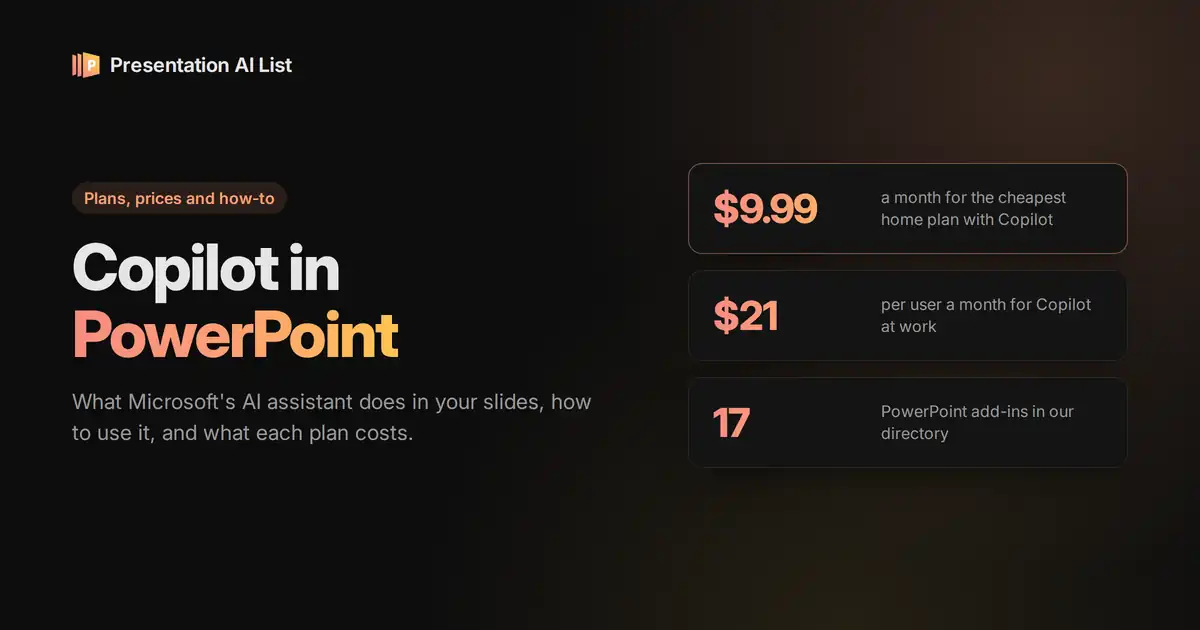
Copilot in PowerPoint is Microsoft's AI assistant inside the PowerPoint app. It drafts a deck from a prompt or a Word file, edits slides on request, and reviews what you already have. It is not free. You get it with a paid Microsoft 365 plan. At home that starts at $9.99 a month, and at work a Copilot license starts at $21 per user a month. This guide covers what it does today, how to use it step by step, which plans include it, where it falls short, and when a dedicated AI presentation maker is the better choice.
What Copilot in PowerPoint can do
Microsoft's guide to editing with Copilot lists what the assistant does in PowerPoint for Windows, Mac, and the web:
- Draft a deck. Describe the presentation and Copilot writes the slides, or point it at a Word document and it turns that into slides.
- Edit slides. It adds, updates, and reorders slides on request ("Update slides 4-6 for a UK audience").
- Make images. It generates new images or replaces the ones on a slide.
- Build interactive slides. Microsoft's examples are dashboards, timelines, and summaries.
- Answer questions about a deck. It summarizes a presentation and answers questions about its content.
- Run skills. Three one-click commands, Review this presentation, Visualize this slide, and Prepare for Questions, suggest changes you can apply.
- Rewrite text. Auto-rewrite fixes errors, Condense shortens a text box, and Make professional changes the tone.
Copilot also lets you pick the AI model behind the edits. The model selector includes Claude from Anthropic and ChatGPT from OpenAI, next to Microsoft's default setting, Auto. Our guide to Claude for PowerPoint covers what Claude does on its own.
Companies get one more feature. A Brand Kit stores the company's template and brand assets, and Copilot applies it to the decks it makes. Microsoft limits branding to work accounts with a Microsoft 365 Copilot license.
How to use Copilot in PowerPoint
These steps follow Microsoft's guide to creating a presentation with Copilot. They work in PowerPoint for Windows, Mac, and the web.
- Open PowerPoint and start a new presentation. To keep your company's design, open its template instead.
- Select the Copilot icon at the bottom-right corner of the window. The Copilot Chat pane opens.
- Choose a model in the model selector, or leave it on Auto.
- If your organization uses a Brand Kit, choose it under Select brand. Skip this step on a home account.
- Describe the presentation in the prompt box. Name the topic, the audience, and the number of slides you want.
- Answer the questions Copilot asks about audience, length, template, and images. You can also skip them and let Copilot decide.
- Read the draft slide by slide. Ask Copilot for changes in the same pane, or edit the slides by hand.
To build a deck from a Word document, type / in the prompt box and pick the file. Microsoft says Copilot works best with Word files under 24 MB that use Word's heading styles, because the styles help Copilot split the document into slides. A home account takes one Word file. A work account can also use a PDF.
Write the prompt the way you would brief a colleague. "Create a 10-slide presentation for new sales hires about our refund policy, with one slide per step" gets a better first draft than "refund policy presentation".
Which Microsoft 365 plans include Copilot in PowerPoint
Copilot in PowerPoint comes with paid Microsoft 365 plans only. There are two routes, a home plan for yourself or your family and a work plan that your company's admin assigns.
Monthly price of each plan with Copilot in PowerPoint
Microsoft 365 plans in US dollars. Home plans per subscription, billed monthly. Work plans per user, billed yearly
- Personal$9.99
- Family$12.99
- Premium$19.99
- Copilot Business$21.00
- Business Standard$23.50
- Copilot enterprise$30.00
- Business Premium$32.00
- Pro$99.99
Source: Microsoft Copilot pricing pages for individuals, business and enterprise
Show data
| Price a month | |
|---|---|
| Personal | $9.99 |
| Family | $12.99 |
| Premium | $19.99 |
| Copilot Business | $21.00 |
| Business Standard | $23.50 |
| Copilot enterprise | $30.00 |
| Business Premium | $32.00 |
| Pro | $99.99 |
Home plans
All four Microsoft 365 plans for individuals include Copilot in PowerPoint. They differ in how much AI use Microsoft allows each month.
| Plan | Price | People | Copilot use Microsoft lists |
|---|---|---|---|
| Microsoft 365 Personal | $9.99 a month or $99.99 a year | 1 | Higher than free |
| Microsoft 365 Family | $12.99 a month or $129.99 a year | Up to 6, AI for the owner only | Higher than free |
| Microsoft 365 Premium | $19.99 a month or $199.99 a year | Up to 6 | Extensive |
| Microsoft 365 Pro | $99.99 a month, monthly billing only | Not stated | Highest |
Personal and Family come with monthly AI credits and feature limits. When you use up the credits, Microsoft says a feature may stop working until your allowance resets. Microsoft doesn't publish the number of credits. You see your balance under Services & subscriptions in your Microsoft account.
Family shares the apps, not Copilot. Up to six people use the plan, but only the subscription owner gets Copilot. The other five open PowerPoint without it.
Microsoft's page also shows first-month and first-year discounts on Personal and Premium. The plans renew at the regular prices in the table.
Work plans
At work, Copilot is a per-user license. Your admin assigns it, and the Copilot icon appears once you have it. Microsoft's business pricing page lists three options, and the enterprise add-on is a fourth.
| Plan | Per user a month, billed yearly | Per user a month, billed monthly | What you need first |
|---|---|---|---|
| Microsoft 365 Copilot Business (add-on) | $21, or $18 in the first year | $25.20 | A Microsoft 365 business plan |
| Microsoft 365 Business Standard with Copilot | $23.50 | $28.20 | Nothing, Copilot is included |
| Microsoft 365 Business Premium with Copilot | $32.00 | $38.40 | Nothing, Copilot is included |
| Microsoft 365 Copilot (enterprise add-on) | $30.00 | Not listed | A qualifying Microsoft 365 plan |
The business plans cover up to 300 users. Microsoft marks the yearly business prices with a discount offer that runs from July 1 to December 31, 2026 and applies to the first year only. Only the Copilot Business add-on shows its regular price, $21. Check the page before you buy, because the yearly prices may rise when the offer ends.
Limits of Copilot in PowerPoint
Copilot is useful for a first draft, but it has hard limits. Microsoft's FAQ about Copilot in PowerPoint lists most of them:
- It works only with PowerPoint files (.ppt and .pptx) and needs an internet connection.
- It handles a limited number of words per prompt.
- Rewrite works on text boxes only, not on shapes. It rewrites the whole box, so you split a box first to change part of it.
- Design suggestions officially support US English only.
- Microsoft says large or complex presentations may exceed system limits.
- It can't check facts. Microsoft's own wording is that Copilot "can't understand meaning or evaluate accuracy", so read every number it writes.
- Different users who type the same prompt can get nearly the same slides.
The price is the other limit. Copilot needs a Microsoft 365 subscription, and at work it needs a license for every person who uses it. If you only make a deck now and then, or if your team works in Google Slides, you pay for a lot you don't use. Our comparison of Google Slides vs PowerPoint helps if you haven't picked the app yet.
When a dedicated AI presentation maker does better
Copilot is the right pick when the deck has to stay in PowerPoint, in your company's template, and you already pay for Microsoft 365. A dedicated AI presentation maker does better in four cases:
- You don't have Microsoft 365. Several tools have a free plan. Gamma's free plan gives 400 credits at signup and exports to PPTX. SlidesAI's free plan makes decks of up to 10 slides.
- You also use Google Slides. Plus AI and SlidesAI work as add-ins in both PowerPoint and Google Slides, with one subscription.
- You want to design outside PowerPoint. Beautiful.ai and Gamma make the whole deck in their own editor and export it as a PowerPoint file.
- You want a cheaper add-in. Plus AI starts at $10 per user a month billed yearly, after a 7-day free trial. SlidesAI's Pro plan is also $10 per user a month billed yearly.
On Presentation AI List, 17 of the 121 listings are PowerPoint add-ins, Copilot included. 91 listings work with PowerPoint files, and our list of AI tools for PowerPoint shows all of them. The table compares Copilot with six of them.
| Tool | Works inside PowerPoint | Gives you a .pptx file | Free plan |
|---|---|---|---|
| Microsoft Copilot | Yes | Yes | No |
| Plus AI | Yes | Yes | No |
| SlidesAI | Yes | Yes | Yes |
| Gamma | No | Yes | Yes |
| Beautiful.ai | No | Yes | No |
| MagicSlides | No | Yes | No |
| Presentations.AI | No | Yes | Yes |
"Works inside PowerPoint" means an add-in that edits the open deck. The other tools build the deck in their own app and export it as a PowerPoint file. Presentations.AI's free Starter plan makes decks of up to 20 slides. Beautiful.ai has a 14-day free trial, and its Pro plan costs $14.50 a month billed yearly. MagicSlides starts at $80 a year and exports to PowerPoint and Google Slides. For more tools without a subscription, see our list of free AI presentation makers.
General chatbots are a third route. Our guide to whether ChatGPT can make a PowerPoint compares them, and our Canva alternatives cover the design-first tools.
Which one to pick
Use Copilot if your company already licenses it, or if you pay for Microsoft 365 Personal and make a deck now and then. It keeps the deck in your template and reads your Word files.
Pick a dedicated tool if you have no Microsoft 365 plan, work in Google Slides as well, or want a free plan. Start with SlidesAI or Plus AI to stay inside PowerPoint, or with Gamma for a free plan that exports to PowerPoint.
FAQ
Is Copilot in PowerPoint free?
No. Copilot in PowerPoint comes with paid Microsoft 365 plans. The cheapest is Microsoft 365 Personal at $9.99 a month or $99.99 a year. At work, it needs a Microsoft 365 Copilot license, from $21 per user a month billed yearly.
How do I use Copilot in PowerPoint?
Open PowerPoint and select the Copilot icon at the bottom-right corner of the window. Describe the presentation you want in the prompt box, answer Copilot's questions, and review the draft. To turn a Word document into slides, type / in the prompt box and pick the file.
Why don't I see Copilot in PowerPoint?
Copilot appears only when your Microsoft 365 plan includes it. Sign in to PowerPoint with the account that holds the subscription. On a Family plan, only the subscription owner gets Copilot. At work, your admin has to assign you a Copilot license and turn Copilot on for your organization.
Can Copilot make a PowerPoint from a Word document?
Yes. Type / in the Copilot prompt box and pick the Word file. Copilot works best with files under 24 MB that use heading styles. Work accounts can also use a PDF.
Can I use Claude or ChatGPT in Copilot in PowerPoint?
Yes. The model selector in the Copilot pane includes Claude from Anthropic and ChatGPT from OpenAI. It is set to Auto by default.
Does Copilot work in PowerPoint on a Mac and on the web?
Yes. Copilot works in PowerPoint for Windows, Mac, and the web. Microsoft also lists PowerPoint for iPad.
How many slides can Copilot make?
Microsoft doesn't publish a slide limit. It says large or complex presentations may exceed system limits. Ask for the slide count you need in your prompt.